How to Add Google Reviews to Squarespace: Plans, Code and Fixes
Which Squarespace plans run review widget code, how to add Google reviews with a Code block or footer code injection, and what to do when the widget shows code or nothing at all.
On this page
Key takeaways
- Squarespace runs scripts in Code blocks on Core, Plus, Advanced, trials and some legacy plans; on Basic the widget never appears.
- Add block > Code, keep it in HTML mode, turn off Display source, save, check the live page.
- A widget added during a Squarespace trial stops working if the site then moves to Basic.
- Floating layouts go once in the Footer field of Code Injection, which loads before the closing body tag on every page.
- The editor doesn't always run scripts, so judge the widget on the published page in a private window.
"I pasted the code and nothing happens." On Squarespace, that's usually the plan, not the code.
Squarespace only runs JavaScript in Code blocks on its Core, Plus and Advanced plans (and some legacy plans). On Basic, the block saves without complaint and the widget simply never appears. So before anything else, check which plan you're on.
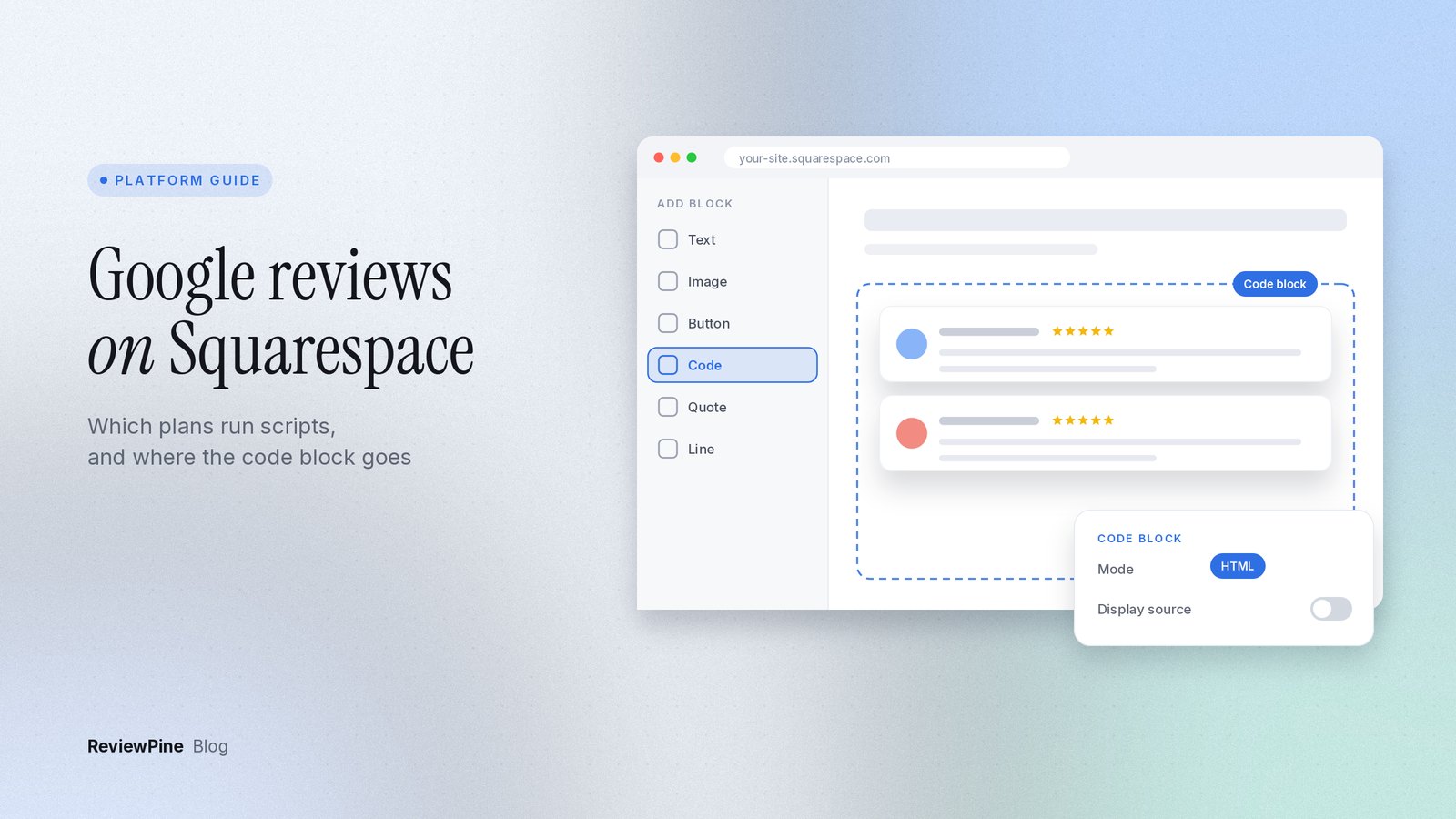
If the plan is fine, here's how to add Google reviews to Squarespace: edit the page, click Add block, choose Code, paste your review widget's script, make sure the block is set to HTML, save, and look at the published page. Floating badges go somewhere else, in footer code injection, which I'll come to.
Which Squarespace plans can show a Google reviews widget?#
Review widgets run on JavaScript, and Squarespace treats JavaScript as a paid-plan feature. This is how the plans line up, going by Squarespace's guides to Code blocks and code injection (checked 23 October 2026):
| Plan | Code block with a script | Site-wide code injection | What it means for reviews |
|---|---|---|---|
| Basic | Saves, does not run | Not available | No widget. Upgrade, or link to your Google profile instead |
| Core | Runs | Available | In-page and floating layouts both work |
| Plus | Runs | Available | Same |
| Advanced | Runs | Available | Same |
| Site trial | Runs | Available | Works now, stops if you then pick Basic |
| Legacy Business or Commerce | Runs on most | Available on some | Check your plan page in Squarespace |
The trial row trips people up. Add a widget while your site is on a Squarespace trial, then subscribe to Basic, and the code stays in the block but stops running. The page loses its reviews and nothing warns you.
Plan names have also changed over the years. An older tutorial that says "Business plan or higher" is describing a lineup that no longer exists. Look under Billing in your own account to see what you're actually on.
How to add Google reviews to Squarespace with a Code block#
- Create your widget and copy its code. Our Squarespace install guide shows where Copy code is.
- In Squarespace, open the page and click Edit.
- Click Add block (or an insert point) in the section where the reviews should go, and choose Code.
- Paste the code. Check that the mode is HTML, not JavaScript. In JavaScript mode, Squarespace shows your code as text instead of running it.
- If Display source is on, turn it off. That option prints the code itself on the page.
- Click outside the block, then Save.
- Open the published page in a private browser window and check it there.
The code is a single line, nowhere near the size limit Squarespace sets for Code blocks.
Sizing the block in Fluid Engine#
On Squarespace 7.1 with Fluid Engine, blocks sit on a grid and you drag their edges to resize them. The widget fills the width of its block. That means a block spanning two grid columns gives you a cramped little slider. For a Slider, Grid or Bento wall, stretch the block across the full width of the section. If the spot is narrow, like a sidebar column, a Badge or List layout will look better.
Squarespace doesn't wrap the widget in an iframe the way some builders do. It renders directly in your page and sets its own height, and it reserves that height before the reviews load, so the content underneath doesn't jump.
Fluid Engine keeps a separate mobile arrangement. Switch to mobile view in the editor, find the Code block, and make sure it isn't squeezed in beside another block.
Blank in the editor, fine on the live site#
Squarespace doesn't always run scripts while you're editing, so you might see an empty block or a placeholder where the reviews should be. That's normal. The published page is what counts.
If custom code ever breaks the editor itself, Squarespace shows a message saying it detected an error loading your site preview, with a Disable Scripts in Preview option. That turns scripts off for you while you edit; visitors still get them. Squarespace also suggests checking the real site in a private or incognito window. I'd do that for any widget test, since it skips whatever is cached in your logged-in session.
Floating badges: use footer code injection#
Layouts that sit at the edge of the window (Floating badge, Trust badge, Review toasts, Side tab, Review bubble, Corner card, Phone review bar) should be pasted once, site-wide. Not into a Code block on each page.
- Open the Code Injection panel. In the current dashboard it's under Website Tools. If you can't find it, search "code injection" in the dashboard.
- Paste the floating widget's code into the Footer field. Squarespace adds footer code just before the closing body tag on every page.
- Click Save and check two or three pages on the live site.
Don't use the Header field or a page's Page Header Code Injection for this. Both go into the page head, and the widget needs to be in the body.
Note: Squarespace checkout pages don't run custom code, so a floating badge won't show during checkout. I wouldn't worry about it. Reviews do their work before people get to the cart.
When it still doesn't look right#
A blank block on the live site nearly always means Basic, or a trial that ended on Basic. Check Billing and move to Core or higher.
If the code itself shows up as text on the page, the block is in JavaScript mode or Display source is switched on. Set it to HTML, turn Display source off, and save.
Reviews that only appear after you refresh the page point to Ajax loading on a version 7.0 template. Turn off Ajax loading in your template settings.
A squashed slider means the block only covers part of the grid. Stretch it to full width, or switch to a Badge or List layout.
Looks fine on desktop but odd on a phone? That's the Fluid Engine mobile arrangement. Rearrange the block in mobile view.
A floating badge that only appears on one page was pasted into a Code block. Move it to the Footer field in Code Injection.
And if your old design is still showing after you changed it in ReviewPine, it's most likely your browser's cache. Check in a private window. Design changes come through without editing Squarespace at all.
Squarespace's support team doesn't troubleshoot third-party code, so widget problems go to your widget provider. The general fixes are in why a widget is not showing.
Is it worth leaving Basic just for reviews?#
I wouldn't, unless reviews are central to how people choose you. A plain button that links to your Google reviews, or a few hand-picked quotes, does part of the job on Basic for free. If you do upgrade for other reasons, you also get site-wide code injection, which opens up the floating layouts.
If you're still weighing up whether reviews belong on your homepage or next to your booking form, where to put reviews on your website covers placement. Running a Wix site as well? The Wix route is different because Wix frames embedded code; it's all in how to add Google reviews to Wix. For any other platform, start with how to add Google reviews to your website.
Next step#
Find a layout that suits the width of your Squarespace section in the customizer playground, then create your widget. The 7-day trial includes every feature and needs no card. ReviewPine paid plans start at $19 a year (checked 23 October 2026).
Platform details checked on 23 October 2026.
Frequently asked questions
Can I add Google reviews to Squarespace on the Basic plan?
Why does my Squarespace Code block show the code instead of reviews?
Where do I put a floating review badge on Squarespace?
Do I need to edit Squarespace again when I change the widget design?
Turn your Google reviews into your best salesperson
Show real, always-fresh Google reviews on any page of your website, with a "Review us on Google" button that brings in new ones. Set up in about two minutes.
- Works on WordPress, Shopify, Wix and any site
- Updates by itself
- No cookies, loads after your page
Anjanee Shukla
Founder, Ainygo Technologies
Anjanee Shukla is the founder of Ainygo Technologies and has been working in the technology industry for over 15 years. He has helped businesses worldwide by developing more than 1,000 websites, web applications, and digital solutions. His expertise spans WordPress, web development, website maintenance, hosting, automation, and business technology. Through this blog, he shares practical advice, technical knowledge, and real-world solutions gained from years of hands-on experience.